

Christian dating app for Norway, Sweden and Denmark
Kristen Match is a dating app for Christian singles looking for a relationship built on shared faith and values. Download the app on Android, or use it in the browser on iPhone and computer – with the same account everywhere.
It costs nothing to get started. Create a profile and see who you could get to know.
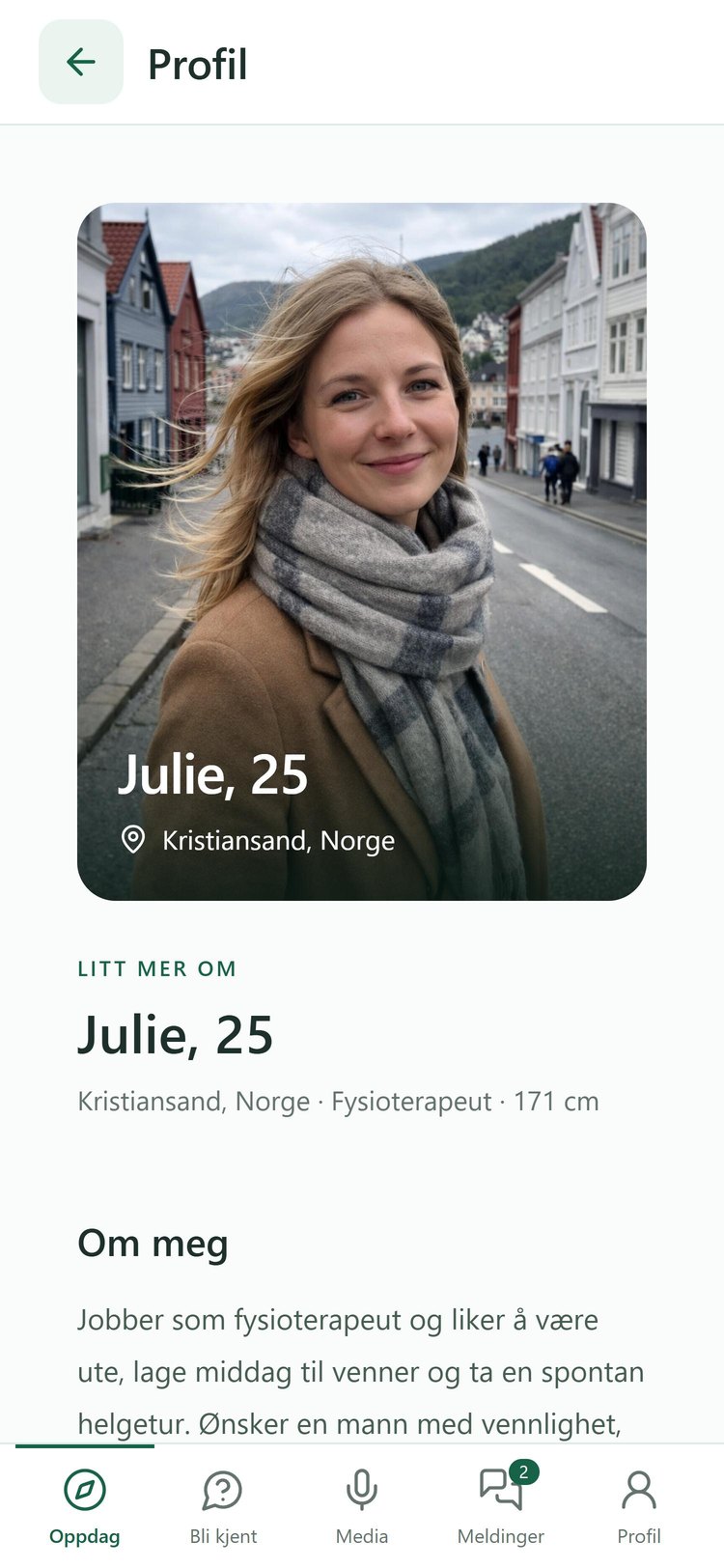
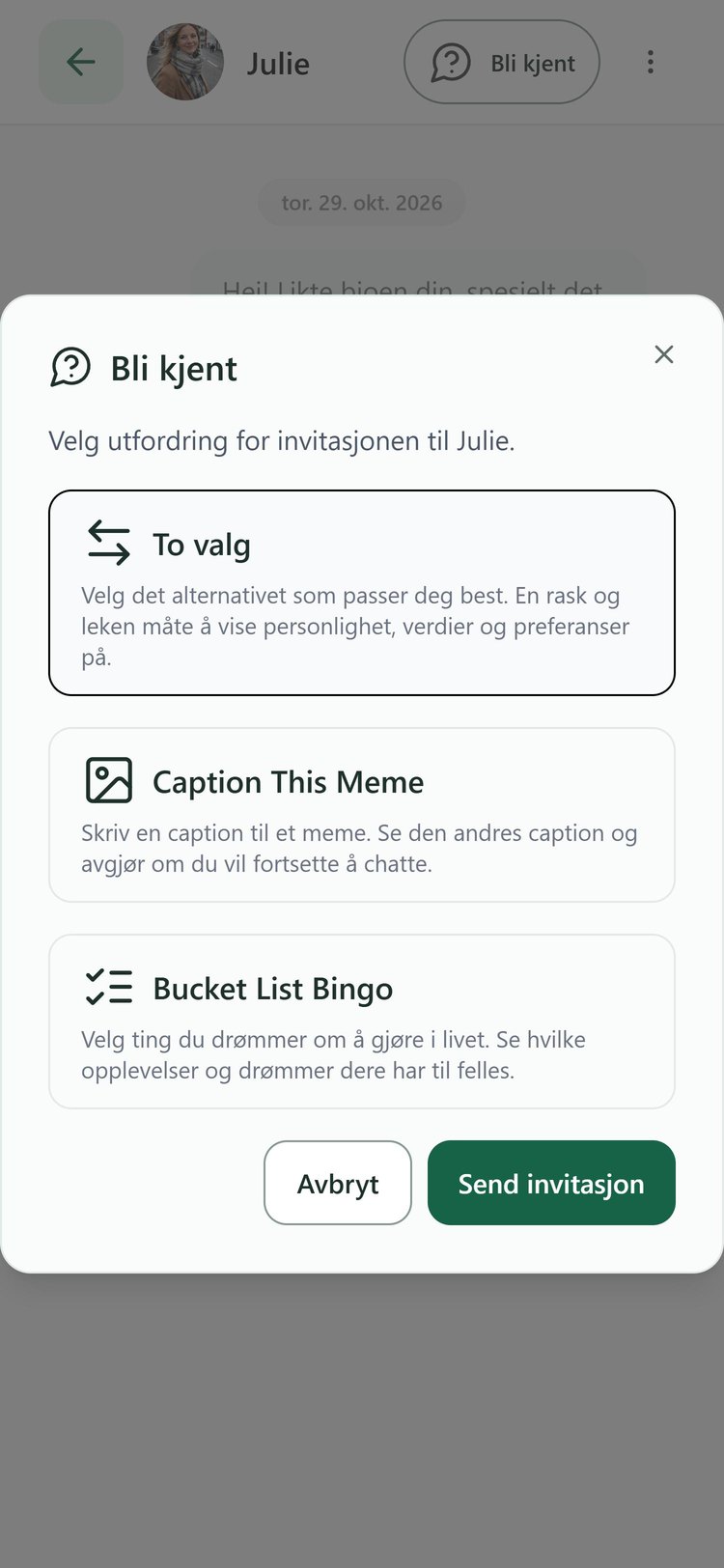
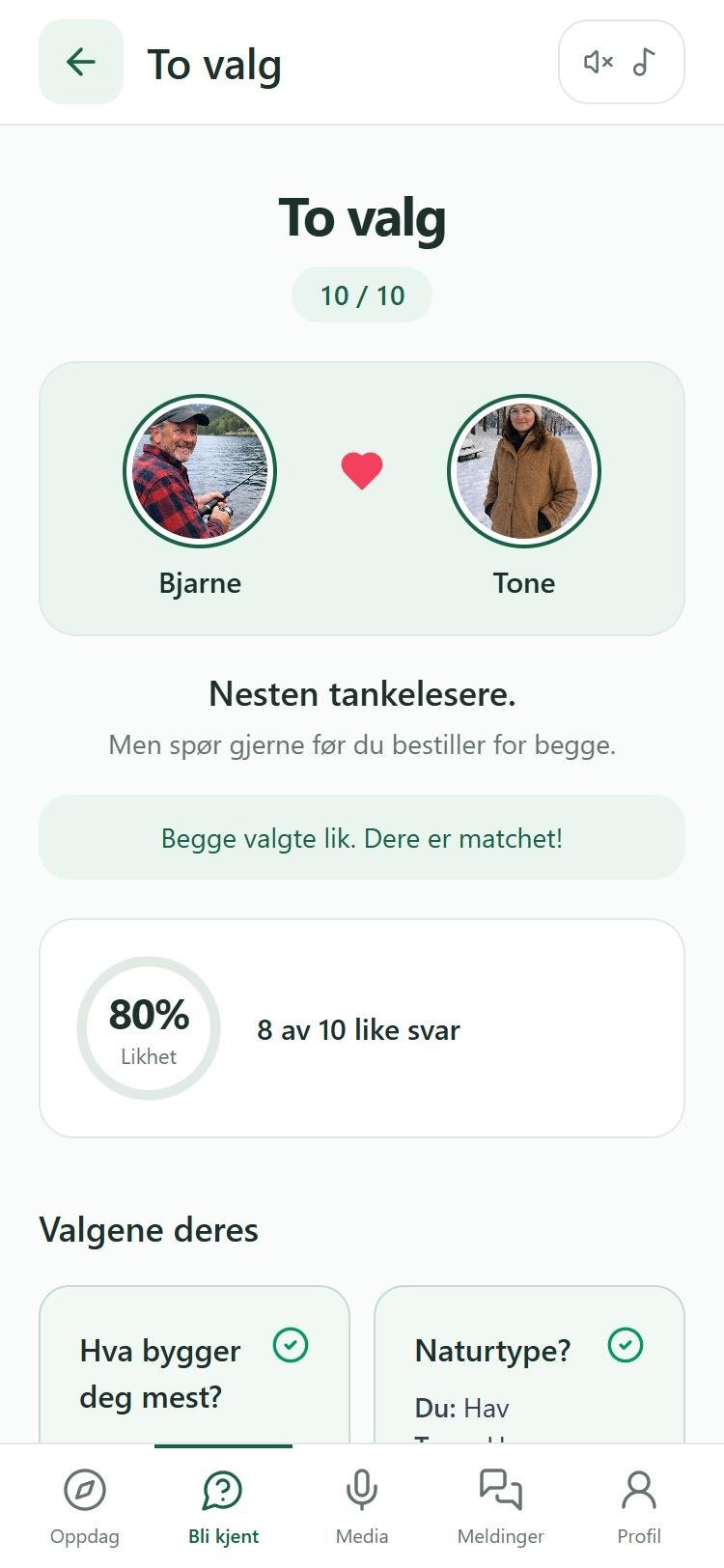
What the app looks like
Download on Android
Kristen Match is on Google Play. The app notifies you when something happens and keeps everything from your profile to your messages in one place.
Get it on Google PlayUse Kristen Match on iPhone
Kristen Match is not in the Apple App Store, but works fully in the browser. Add it to your Home Screen and use it like an app.
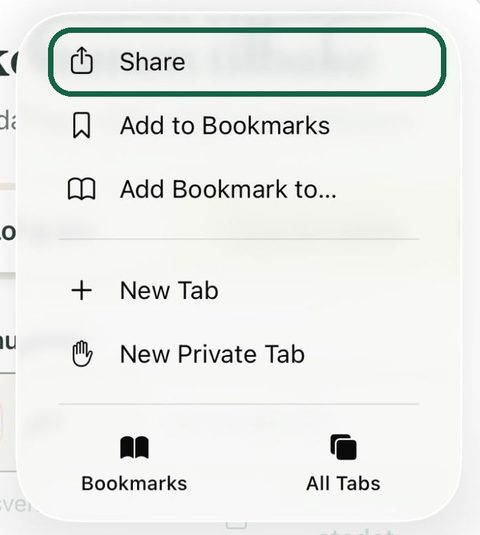
- Open kristenmatch.no in Safari and choose “Share”. It’s behind the “…” button at the bottom right, or shown as the Share icon (a square with an arrow pointing up).
- Choose “Add to Home Screen”.
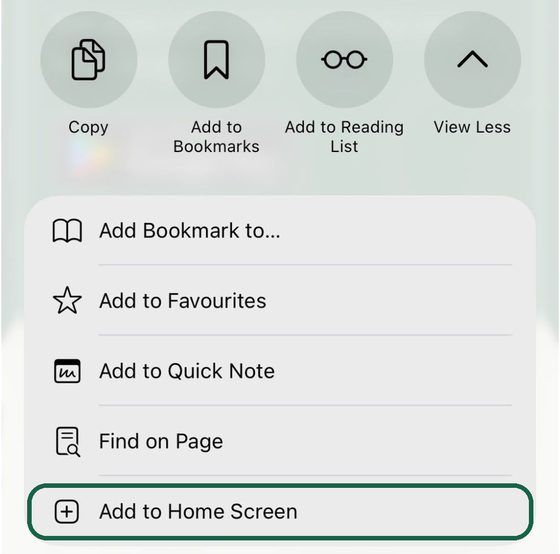
- Tap “Add”. Kristen Match now appears on your Home Screen.
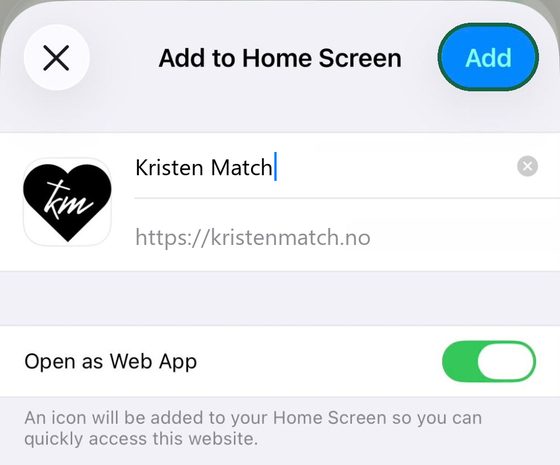
If you want push notifications, you can turn them on after opening the app from the Home Screen. Requires iOS 16.4 or later.
Use Kristen Match on PC and Mac
You can install Kristen Match as an app on your computer. It is free and takes a few seconds. The app opens in its own window, has its own icon and can send you notifications, just like other apps.
Windows (Edge or Chrome)
- Open kristenmatch.no in Microsoft Edge or Google Chrome.
- Click the install icon at the right end of the address bar and choose “Install”. No icon? Open the browser menu (⋯ or ⋮) and look for “Install Kristen Match”.
- Kristen Match opens in its own window. You will find it in the Start menu and can pin it to the taskbar.
Mac (Safari, Chrome or Edge)
- Safari: Open kristenmatch.no and choose File › Add to Dock in the menu bar. Requires macOS Sonoma (14) or later.
- Chrome or Edge: Click the install icon at the right end of the address bar and choose “Install”.
- Kristen Match opens in its own window and shows in the Dock. Right-click the icon and choose to keep it in the Dock so it is always easy to find.
Installing works in Edge, Chrome and Safari. In other browsers you can keep using Kristen Match in the browser as usual.
What you get
- Free to get started
- Get to know each other through activities first
- Profiles verified with a Nordic phone number
- Use on mobile and web
- Safe Norwegian platform
- Faith-first experience
- Active moderation
Premium gives unlimited likes, advanced filters, more visibility and no ads.
How to get started
- Create a profile. Add photos and a short introduction about you, your faith, and your values.
- Find and invite. Browse profiles that suit you and invite someone to an activity: Two Choices, Caption This Meme or Bucket List Bingo.
- From activity to match. Do the activity together, see what you have in common, and match when the interest is mutual.
- Start conversations. Get to know each other in a safe, moderated platform.